

Tunneling Options
Klarent supports testing applications that are not publicly accessible. We provide three options to grant Klarent access to a non-public backend.
1. Allowlisting
Section titled “1. Allowlisting”Allowlist a stable Klarent IP address on your server. This is suitable for backends that are on the internet but only accept connections from defined IP addresses.
2. VPN connection
Section titled “2. VPN connection”Establish an IPsec site-to-site VPN connection between our networks. This is for backends that are not on the public internet at all, though it requires VPN gateway infrastructure on your side.
3. SSH reverse dynamic forwarding
Section titled “3. SSH reverse dynamic forwarding”Connect from a server in your network to an SSH server on our side to establish a SOCKS tunnel. This can be a more convenient way to establish a connection to private backends, since you only need a server without any VPN setup or networking changes.
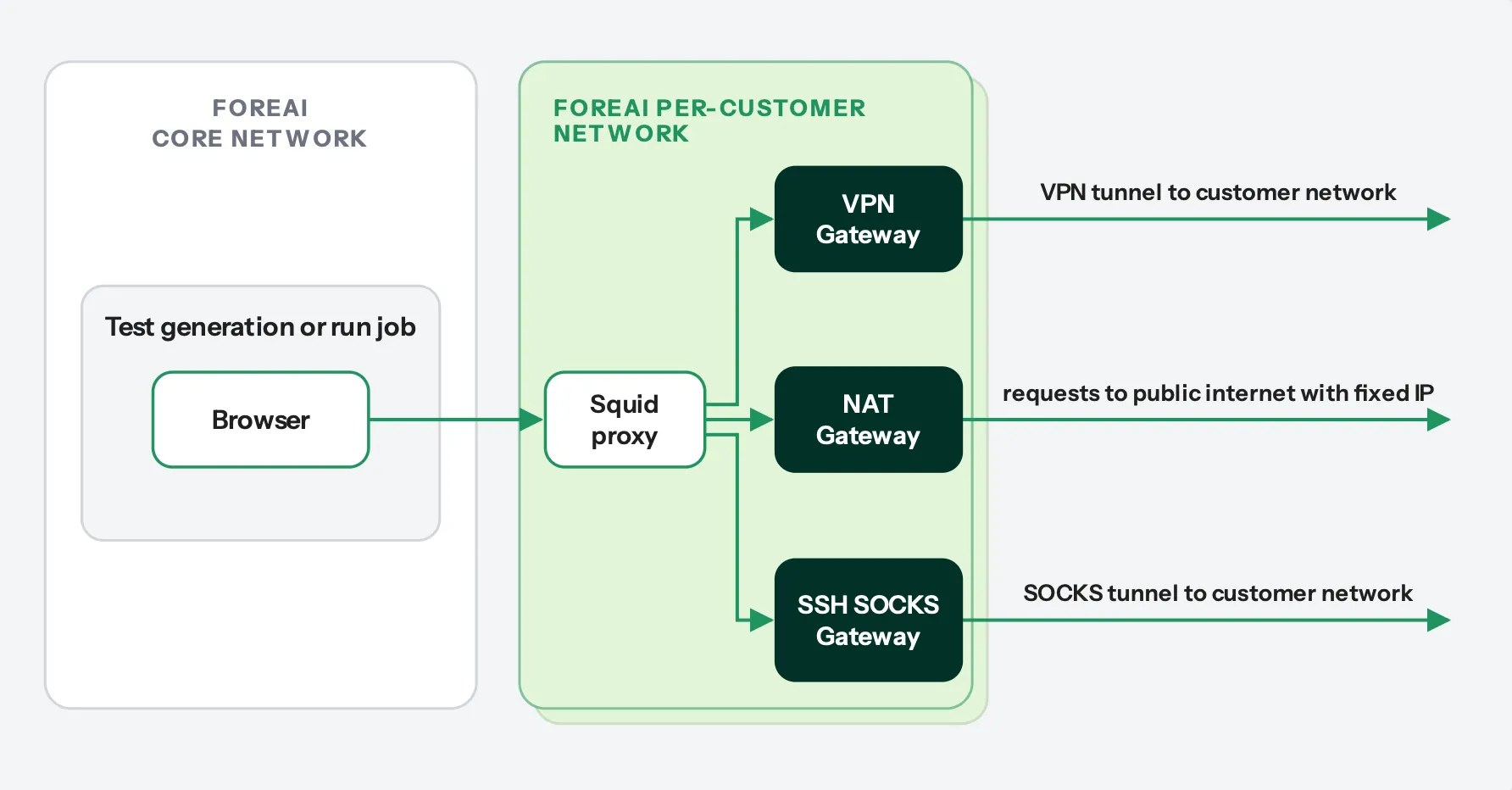
For web testing, Klarent launches test generation and run jobs on Azure Container Apps. Each job runs a browser configured to route traffic to a Squid proxy, which is provisioned in a dedicated virtual network (VNet) for your organization. From the proxy, outgoing traffic follows one of three routes:
- Public internet: traffic is routed through an Azure NAT Gateway with a fixed IP address. This IP address can be allowlisted on your firewall.
- Customer network via VPN: traffic goes through an Azure VPN Gateway to your VPN gateway and firewall and into your network.
- Customer network via SOCKS: TCP connections are forwarded to your server, which forwards connection requests and traffic to the target hosts.
Mobile
Section titled “Mobile”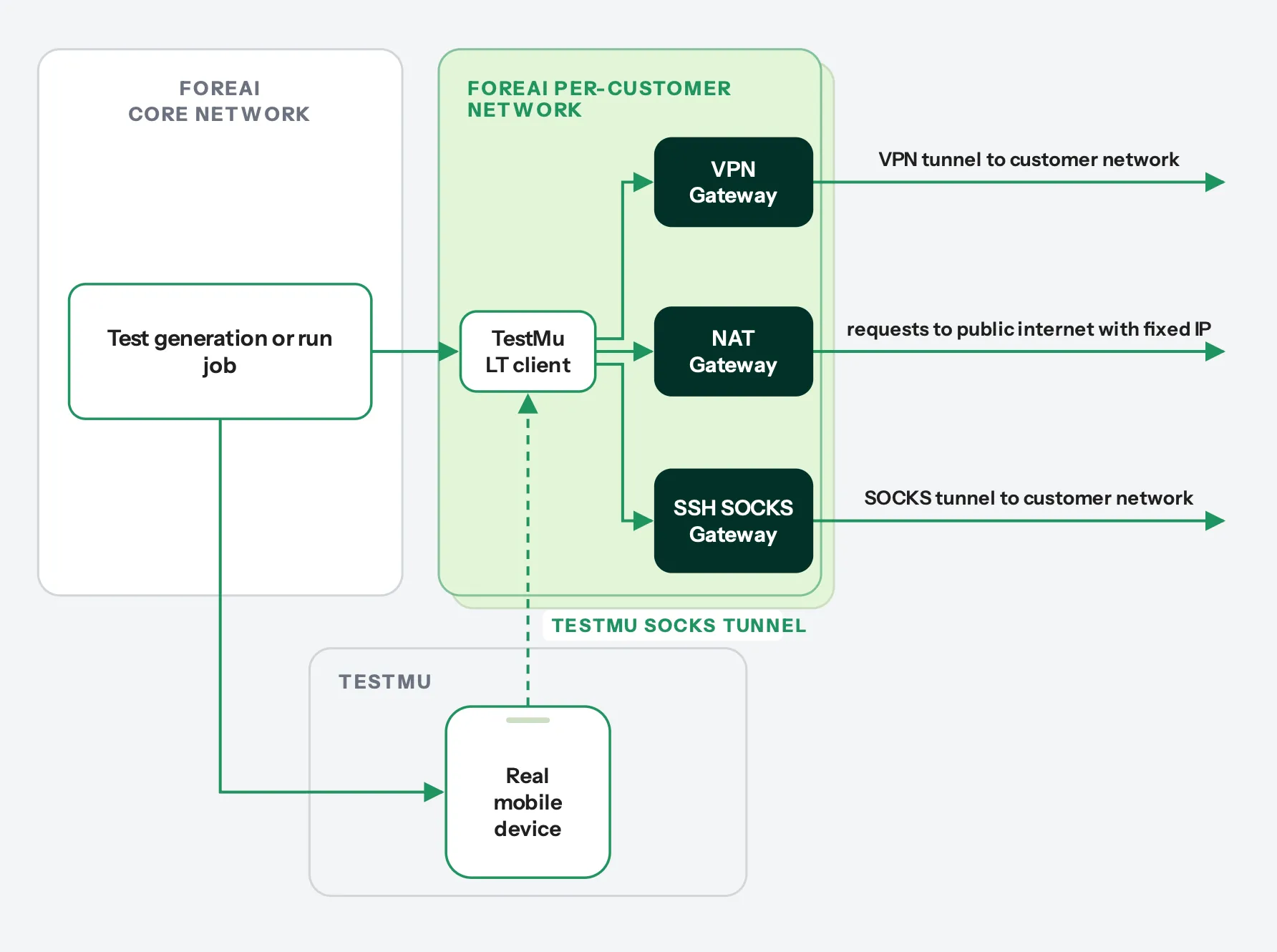
For mobile tests, Klarent partners with the device farm provider TestMu. If a mobile app depends on backends that are not accessible via the public internet, the connection works as follows:
- The app runs on the TestMu side, and traffic to backends is tunneled back to Klarent via the TestMu SOCKS tunnel.
- The client side of that tunnel connects to one or more of the outgoing VPN, NAT or SOCKS gateways, in the same way as for web tests.