

Notifications
Klarent can send alerts to your team whenever a test suite runs. A quick summary of
- The tests that ran
- The number that succeeded & failed
- The ones that failed
- A quick link back to platform to directly examine the failure
Notifications are configured in two places: a channel is set up once at the organisation level, then enabled per test suite.
Notification channels
Section titled “Notification channels”A notification channel tells Klarent where to send alerts. Three channel types are supported:
- Email notifications - send failure alerts to one or more email addresses
- Slack notifications - post alerts to a Slack channel via an incoming webhook
- Microsoft Teams notifications - post alerts to a Teams channel via an incoming webhook
Setting up a Channel
Section titled “Setting up a Channel”Go to Settings → Notification. If no channels have been configured yet, the page shows an empty state.
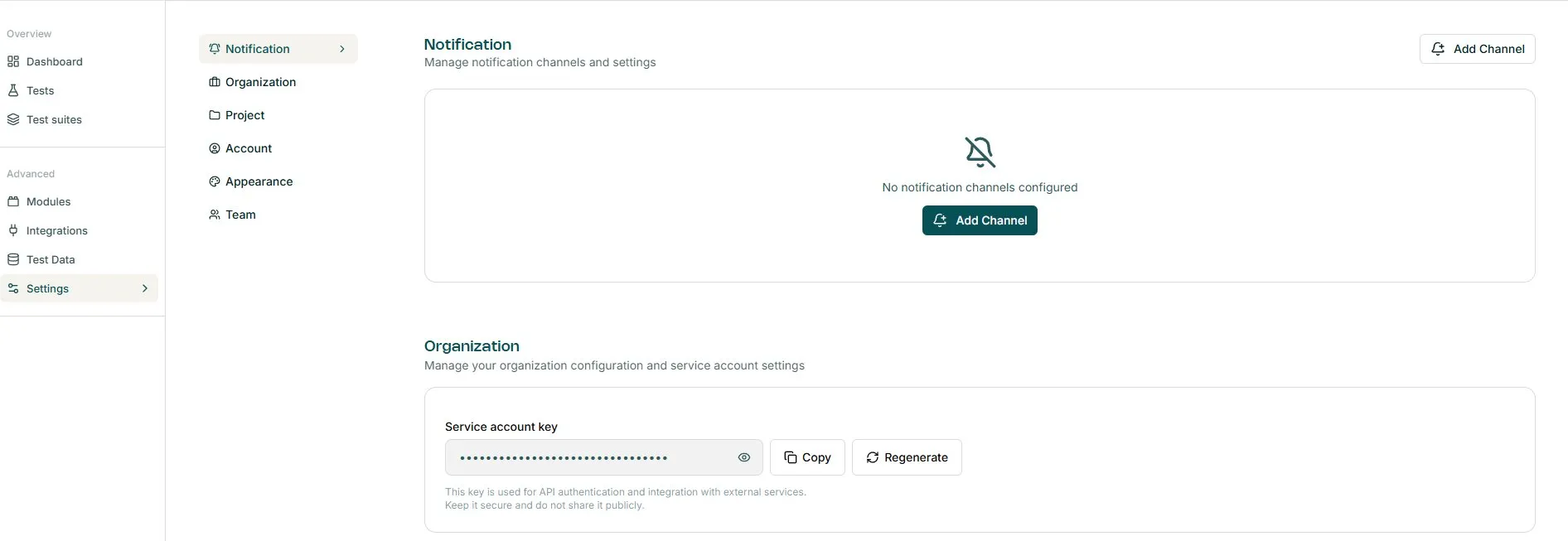
Click “Add Channel” (top-right or centre of the page). A modal opens where you enter a name and select the channel type.
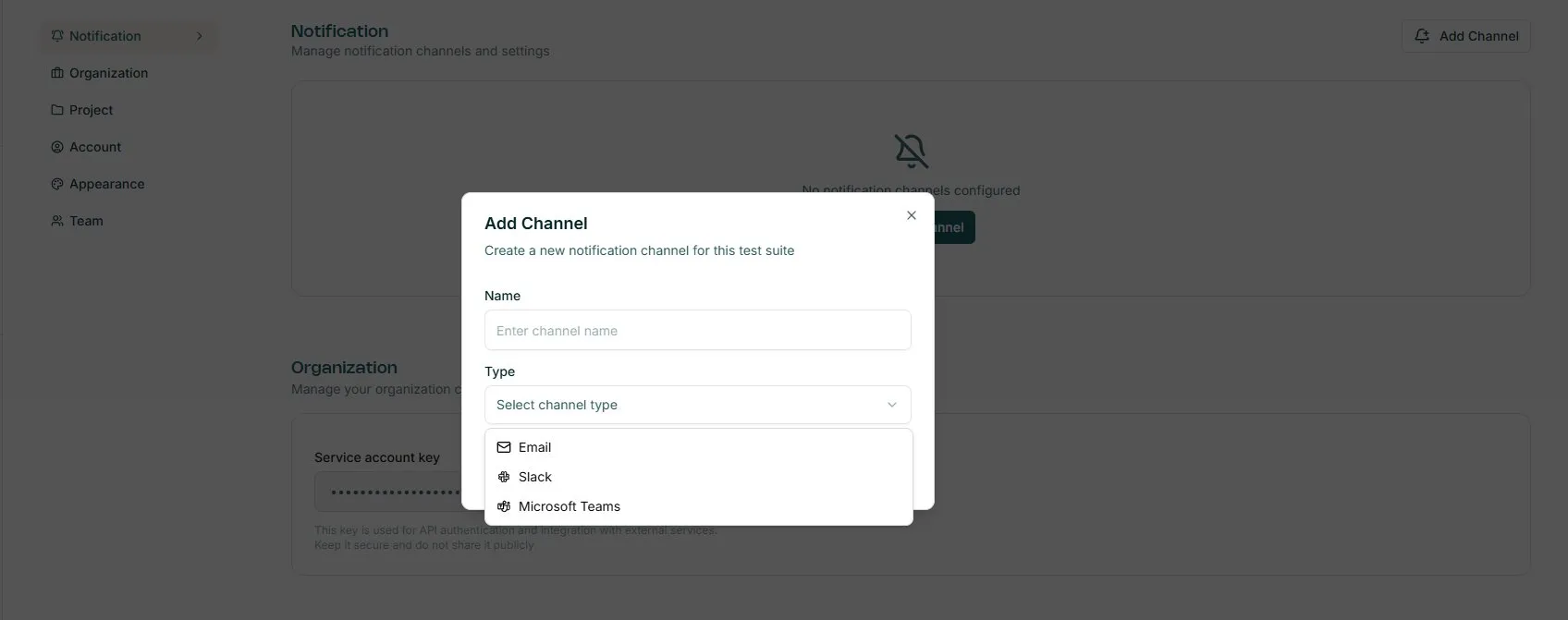
The fields shown below the channel type selector, change depending on the type chosen. Follow the relevant guide for your channel.
Enabling notifications on a test suite
Section titled “Enabling notifications on a test suite”Once a channel is saved, it is available to any test suite - but notifications are off by default. To turn them on:
- Open a test suite
- Click the bell icon in the top-right toolbar
- Select the channel(s) to enable from the “Notification channels” popover
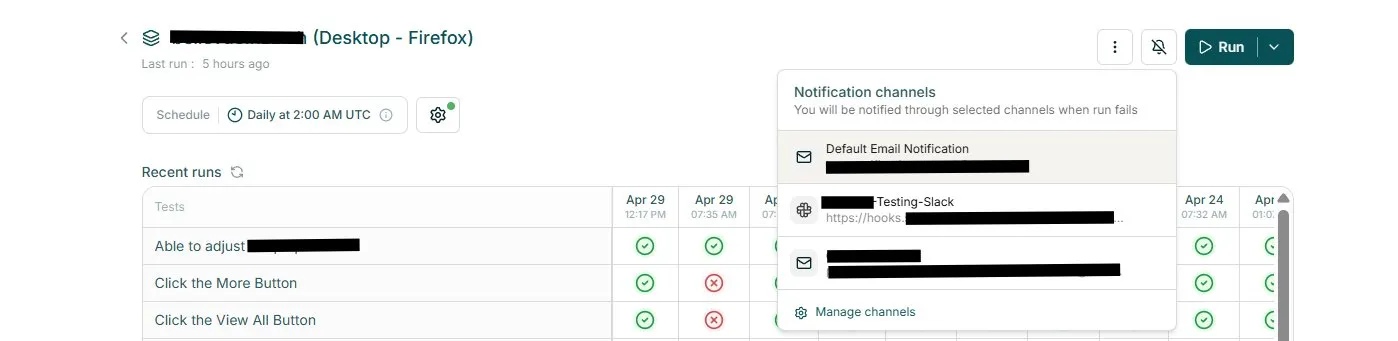
A checkmark confirms the channel is active. Klarent will post an alert to that channel whenever the suite has a failed run.