

Collections
Collection runs can be triggered:
-
From the UI - open the collection and click on the
Runbutton.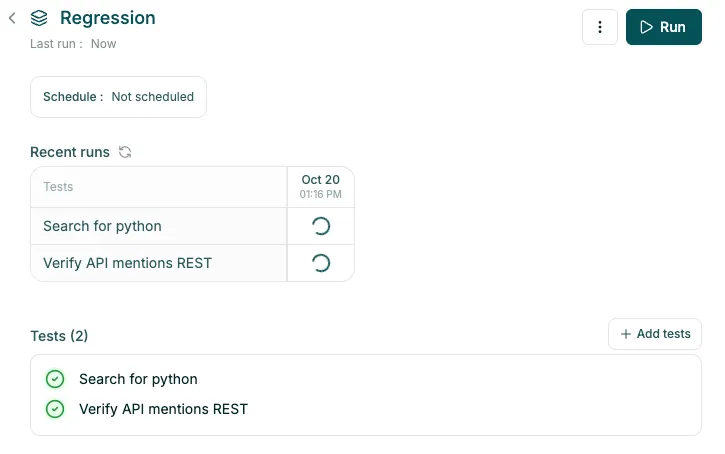
-
From CI/CD through GitHub Action - see CI/CD Integration.
Scheduling collection runs
Section titled “Scheduling collection runs”Collection runs can be scheduled in the collection details. Click on the Schedule : ... button
and define the frequency.
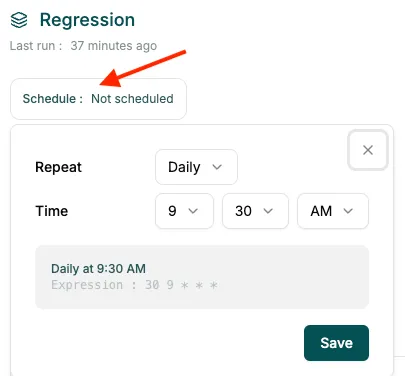
You can also schedule the runs from GitHub - see CI/CD Integration.
Configuring collection runs
Section titled “Configuring collection runs”Collection runs can also be configured to use a different set of browser engines or viewport combinations than the one that was used during generation of that test script to test it against more cases. These settings apply to website tests only.