“Codeless” is one of the loosest labels in test automation. It gets applied to a decade-old record-and-playback recorder and to an AI-native platform that generates tests from a plain-English description, as if the two belonged in the same category. They do not behave the same way once an application changes, which is exactly when a testing tool’s actual design starts to matter.
What are codeless testing tools?
Codeless testing tools let QA teams create and run automated tests without writing traditional code. The category is broad: it includes simple record-and-playback recorders at one end and AI-driven, natural language testing at the other, and quite a lot of variation in between.
What they share is a goal, not a method: widening the group of people who can contribute to test automation beyond those who can write and maintain scripts.
How codeless testing tools work
Most codeless tools fall into one of two camps. Some capture user actions, clicking, typing, navigating, and replay them as a test later. Others take a plain-language description of a scenario and turn it into executable steps automatically. Most also offer a visual interface for editing, organizing, and reviewing tests once they exist, regardless of how they were created.
That distinction, recorded steps versus generated-from-intent, ends up mattering more than almost anything else about a given tool.
Codeless vs. low-code vs. traditional scripting
These three approaches sit on a spectrum, and the difference comes down to how much code the user has to write or read.
| Approach | Code written by the user | Best suited for |
|---|---|---|
| Codeless | None | Widening who can create and maintain tests |
| Low-code | Minimal, for edge cases | Teams that need occasional custom logic |
| Traditional scripting | Full | Highly specific technical checks needing full control |
Codeless tools involve no code at all, no-code testing tools in the fullest sense. Low-code testing sits in the middle: a visual builder handles most of the work, with a small amount of scripting available for edge cases a visual interface cannot express. Traditional scripting gives full control and full maintenance responsibility, which is still the right trade-off for narrow, highly technical checks, but is more than most workflows need.
Key features to evaluate
Not all codeless automation is built the same way, so a useful evaluation looks past the “codeless” label to how the tool actually behaves:
- How tests are generated. Manual recording of clicks and keystrokes, or AI-driven discovery from a spec, ticket, or existing application flow.
- How the tool handles UI changes. Whether a changed selector or reordered step breaks the test outright, or whether the tool adapts.
- Integration with existing workflows. Whether it connects cleanly to the team’s CI/CD pipeline, ticketing, and collaboration tools, or becomes a separate process to manage.
These three questions matter more than whether a tool can technically be described as codeless, since two tools can both qualify for the label and behave completely differently under real use.
Limitations of older record-and-playback tools
Record-and-playback was the first generation of codeless automation, and its limitations are well understood by anyone who has maintained one of these suites. Recorded tests are brittle: a small UI change, a moved button, a renamed field, a reordered step, is often enough to break a recorded script.
The deeper problem is that these tools only understand the literal steps that were recorded, not the intent behind them. A recorded test does not know that a flow is “complete checkout,” only that it clicked a specific set of coordinates in a specific order. When maintenance comes due, it often requires the same scripting skills the tool was meant to let teams avoid in the first place, which quietly defeats the point of going codeless.
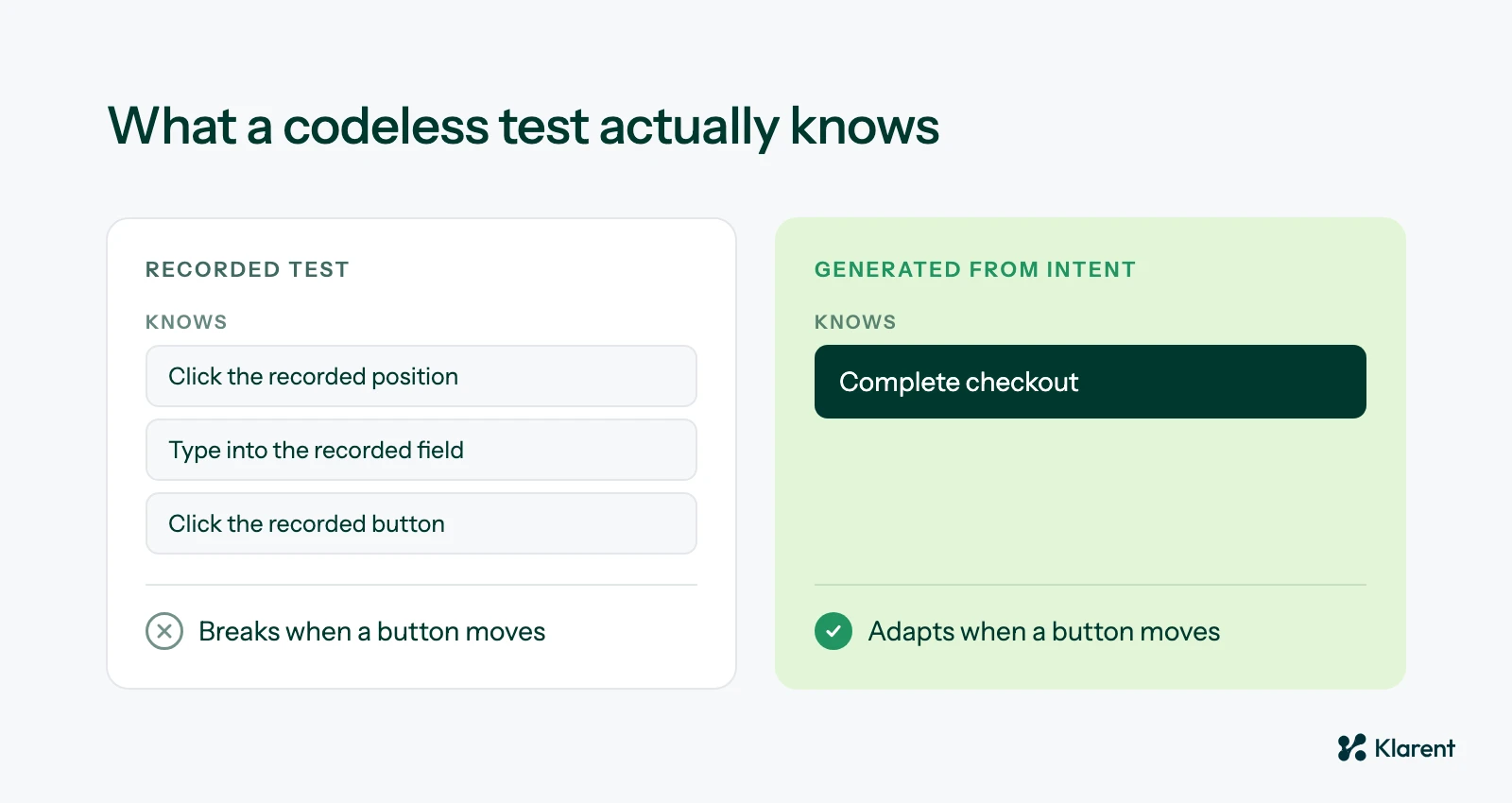 A recorded test knows the clicks. A test generated from intent knows the goal.
How AI agents are redefining codeless testing
AI-driven platforms address this differently. Instead of recording clicks, test generation starts from a URL, a ticket, or a plain-language description of what should happen, closer to natural language testing than literal step recording.
That shift also changes what happens when the application changes. Self-healing execution lets the test adapt to a changed selector or restructured flow instead of simply failing, and autonomous maintenance addresses the “codeless in name only” problem directly: a tool that still requires scripting knowledge to repair is not really saving the team from code, just delaying when the code shows up.
This is also where the comparison with traditional automation suites becomes useful context, since the same forces that make AI testing platforms pull ahead of scripted suites apply directly inside the codeless category itself.
Choosing a tool that stays codeless as it scales
The honest test of any codeless tool is not whether a non-engineer can build the first version of a test. Almost any tool in this category can do that. The real test is what happens six months later, after the UI has changed a dozen times, when maintenance either stays codeless or quietly turns back into scripting work for whoever is left holding it.