Platform · Test Data
Test data management for automated software testing
Variables, secrets, and assets let your tests reference real data without hardcoding anything. Credentials stay encrypted, files stay centralised, and every test stays clean.
Variables
Scope test inputs to exactly where they're needed.
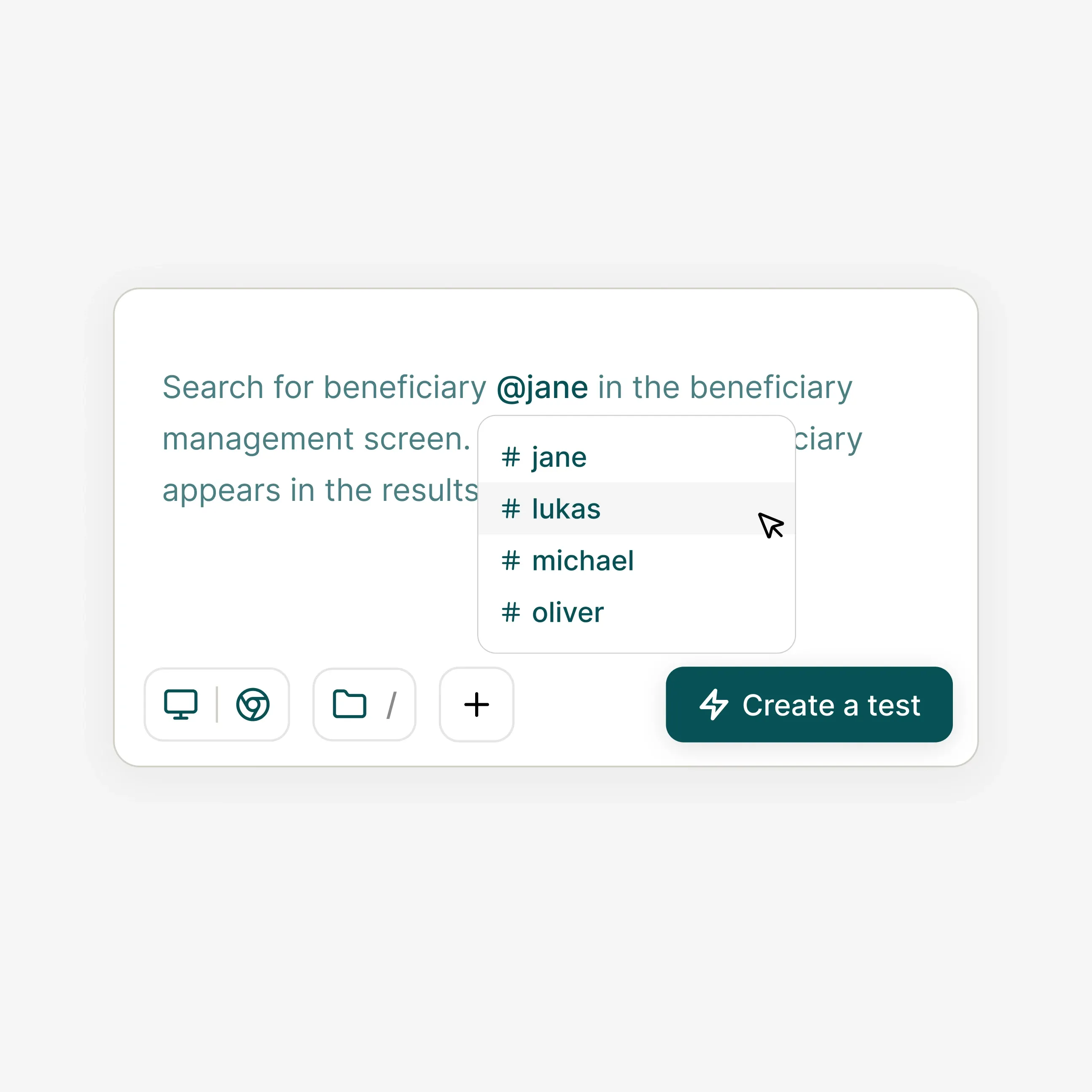
Variables are local parameters tied to a specific test. Use them to inject different values - URLs, usernames, dynamic form inputs - without hardcoding anything into the test steps themselves. Reference them anywhere with the @ symbol.
- Attach variables inline while building a test using the @ shortcut
- Scoped to the test that defined them - no risk of cross-test pollution
- Override values at run time for environment-specific execution
- Use in any step: input fields, URLs, assertion values, or headers
Secrets
Keep credentials out of your test code - forever.
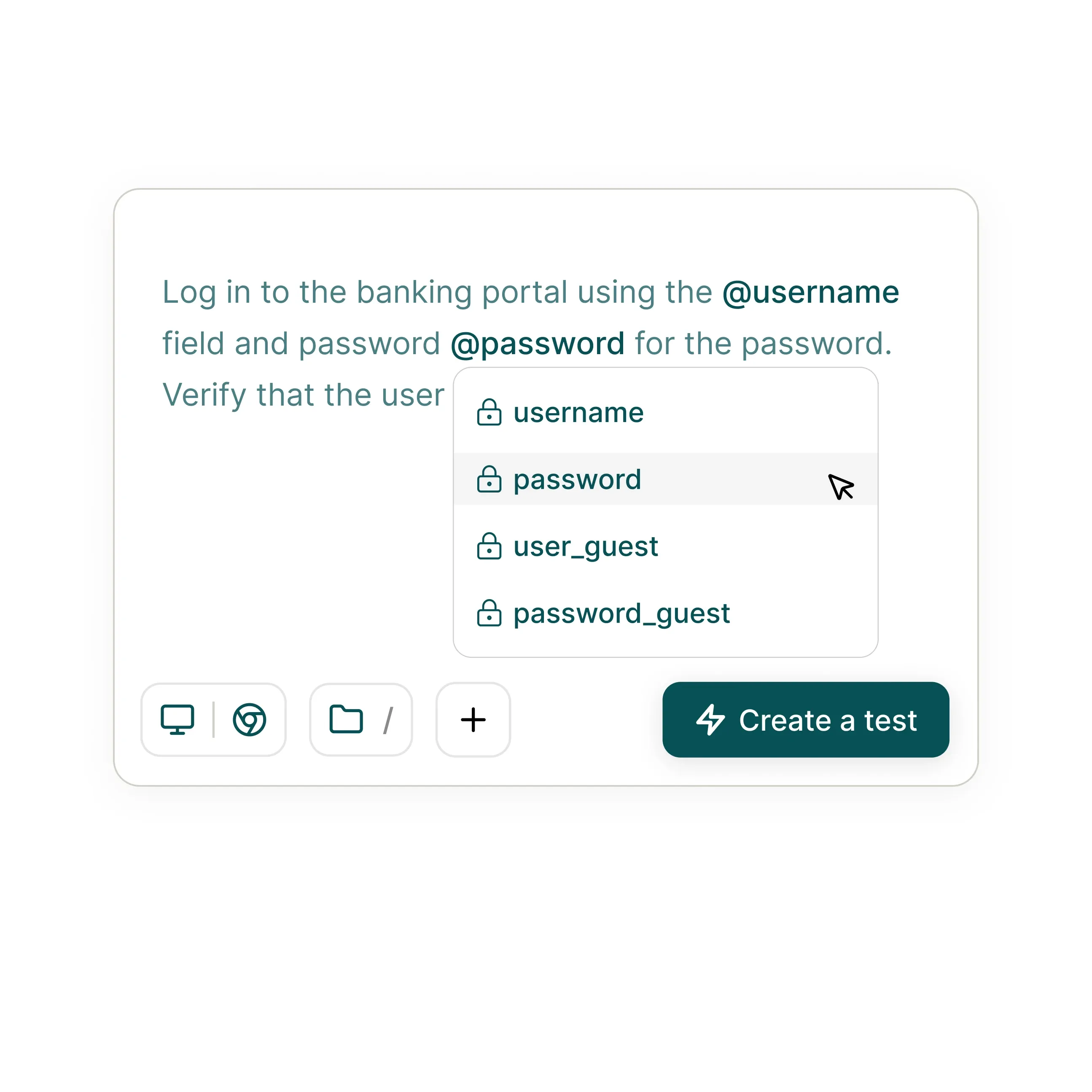
Secrets are global, encrypted parameters available across all tests in a project. Designed for passwords, API keys, and tokens - values that must never appear in logs, test output, or step definitions.
- Available across every test in a project. Define once, use everywhere
- Create directly from the test creation flow or the Test Data settings panel
- Scoped to projects. Credentials never cross environment boundaries
Assets
Upload files once, use them in any test.
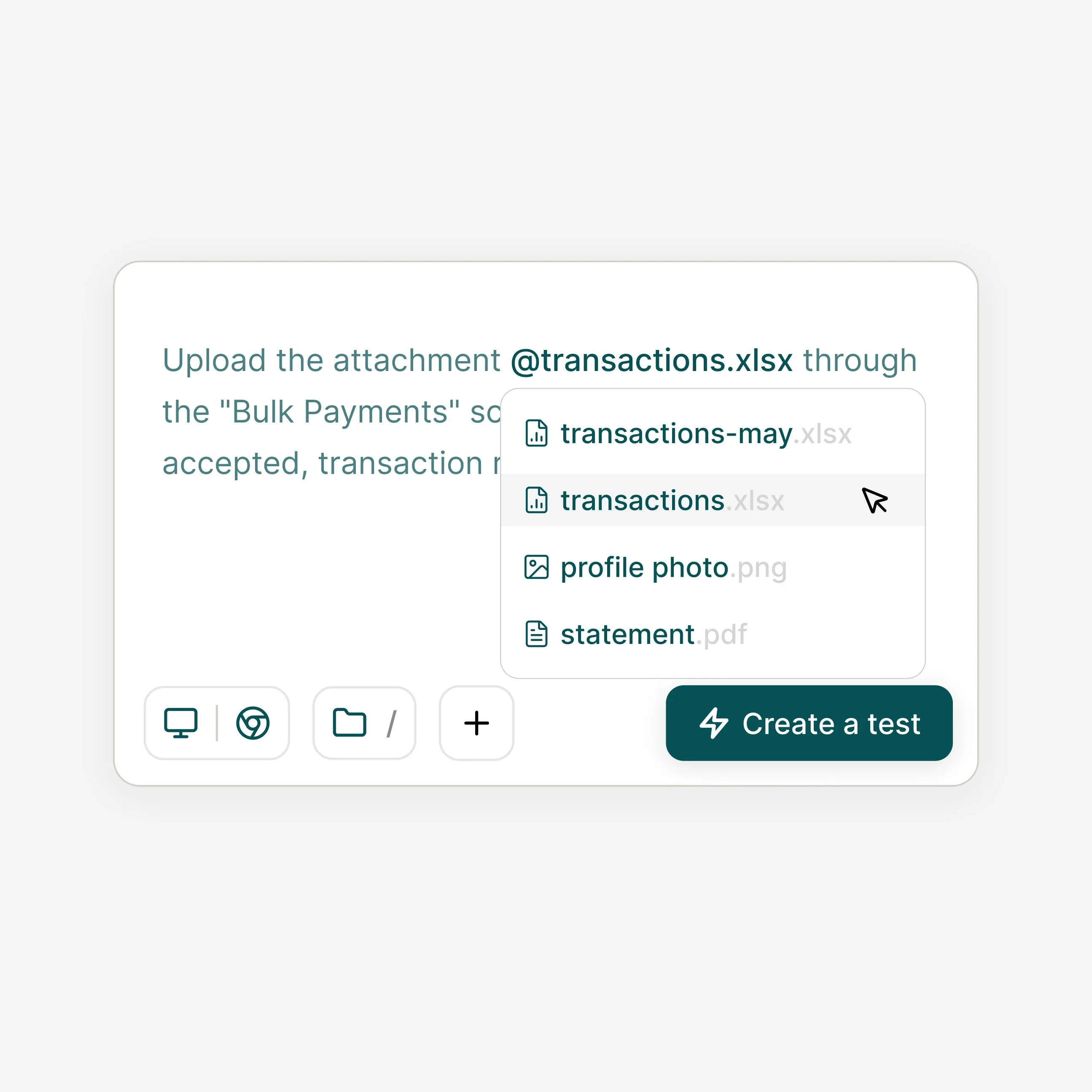
Assets are files - images, PDFs, CSVs - uploaded to Klarent and shared across tests in a project. Reference any asset with @ in any file upload or input step, without re-uploading for each test.
- Upload images, PDFs, CSVs, and any other file type via the Test Data panel
- Reference assets in test steps using the @ symbol - same as variables
- Files are stored securely and remain consistent across all test runs
- Replace or remove assets without breaking existing test references
Get started
Stop hardcoding. Start reusing.
See how Klarent keeps credentials encrypted, inputs parameterised, and files centralised - in a live walkthrough tailored to your stack.
FAQs
Variables are local parameters scoped to a single test - useful for URLs, usernames, or dynamic inputs. Secrets are global, encrypted parameters available to every test in a project, designed for passwords, API keys, and other sensitive credentials that must never appear in logs or test output.
Type @ in any test step field to bring up a list of available variables, secrets, and assets from your test data management platform, including the fare codes and dates that shift constantly in test automation for travel booking. Select the one you want and Klarent inserts the reference automatically. The actual value is injected at run time.
No. Secret values are encrypted at rest and masked in all test output, run logs, and screenshots. Only the secret name is shown in step definitions and results.
Klarent supports any file type as an asset - images (PNG, JPG, WebP), documents (PDF), data files (CSV, JSON), and more, the same file types a checkout flow needs for ecommerce test automation. Uploaded assets are available to all tests in the project and referenced with the @ symbol in any file upload step.