Ask a QA team how their budget is spent and most will describe it in terms of headcount and tool licenses. Ask where the time actually goes, and a different picture shows up.
Research across more than 500 companies puts a number on it: only 21 cents of every QA dollar builds new test coverage. The other 79 cents keeps the existing suite alive.
A typical team in that research looks like this: around 600 end-to-end tests, 3 automation engineers, 5 manual testers, supporting roughly 6 developers for every person on QA. Nothing unusual about that ratio. It is close to what most mid-size engineering orgs run.
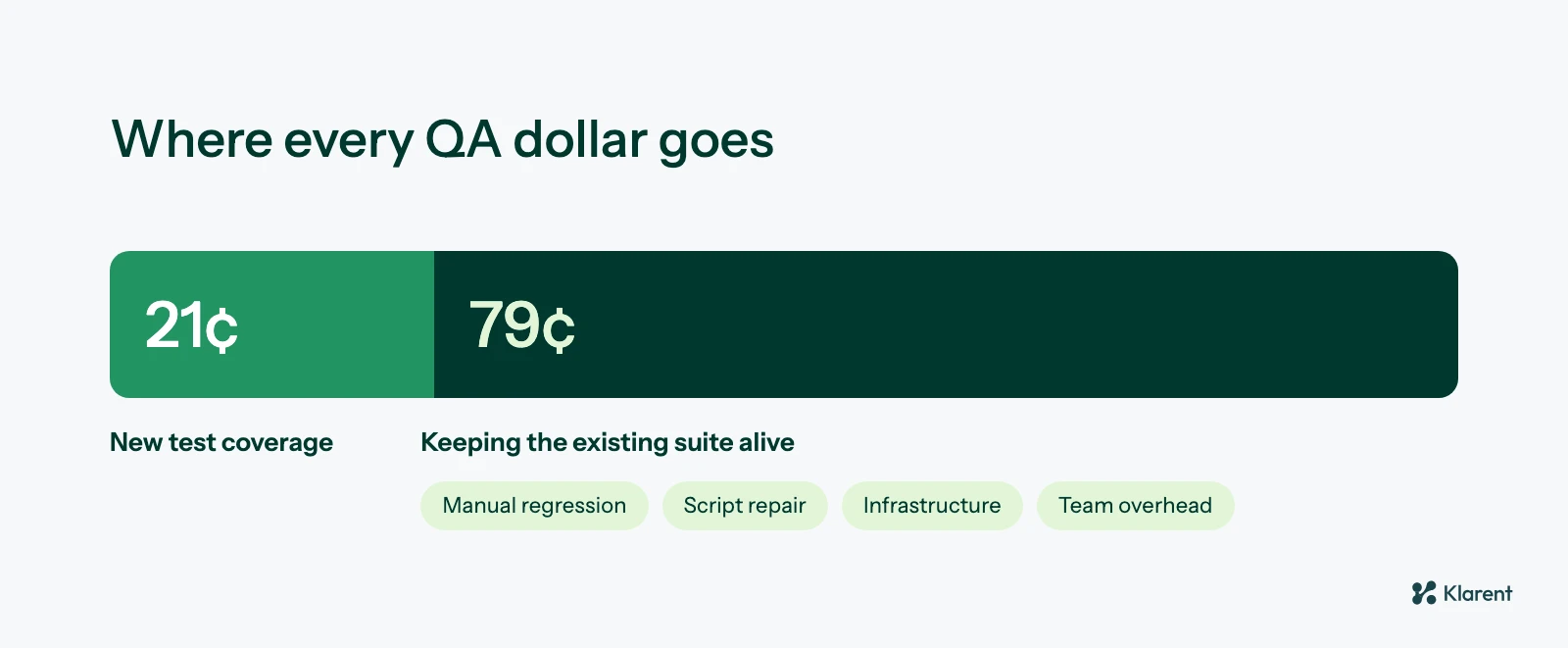 Only 21 cents of every QA dollar goes to new test coverage.
What is less visible is where their time goes once the suite exists. Running manual regression passes. Repairing scripts after a selector changes. Carrying infrastructure that exists mainly to keep old tests executable. Losing hours to the ordinary overhead of any team, time off, onboarding, switching between the fix in front of them and the feature they were supposed to be covering. New coverage gets whatever is left over, which research puts at about one dollar in five.
About four out of five teams in that research still run on largely manual testing. That is not a judgment on those teams. It is a description of where the hours are forced to go once a suite reaches a certain size: maintenance stops being a line item and becomes the job.
The alternative is not a bigger QA budget. It is shifting what the budget pays for. An autonomous model spends differently: execution happens without a person driving it, maintenance shrinks because the agent repairs what changed instead of waiting for a ticket, infrastructure stops being a dedicated cost center, and the QA staff who remain spend their time on governance, judgment calls, and the coverage decisions that actually need a human. The 79 cents does not disappear. It gets smaller, and more of the dollar goes back to building.
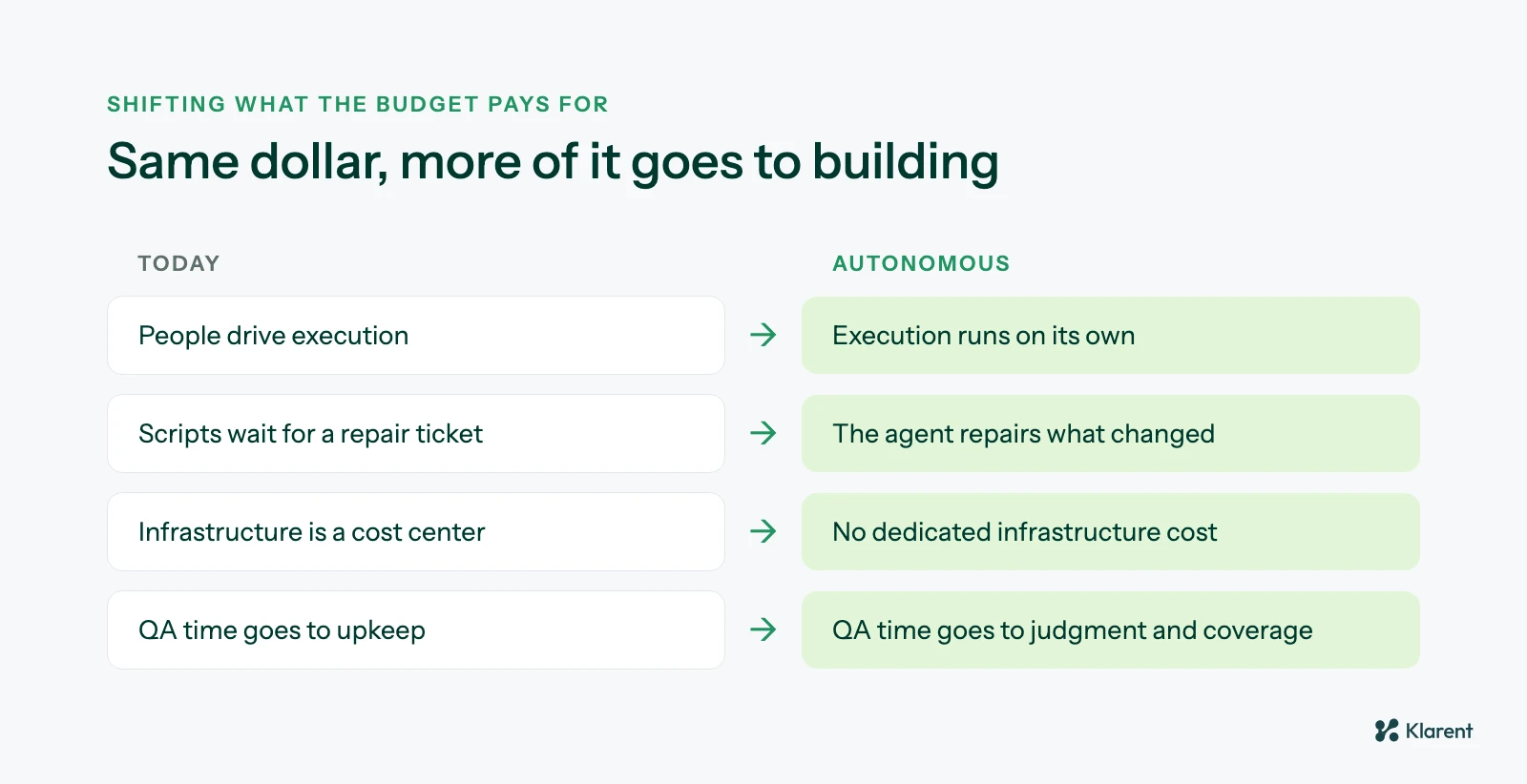 An autonomous model changes what the QA budget pays for, not how big it is.
The ratio is easy to state and hard to feel until you run your own numbers against it. If you want to see what that split looks like for your team specifically, rather than the aggregate, our ROI calculator walks through it using your own test count, team size, and maintenance load.