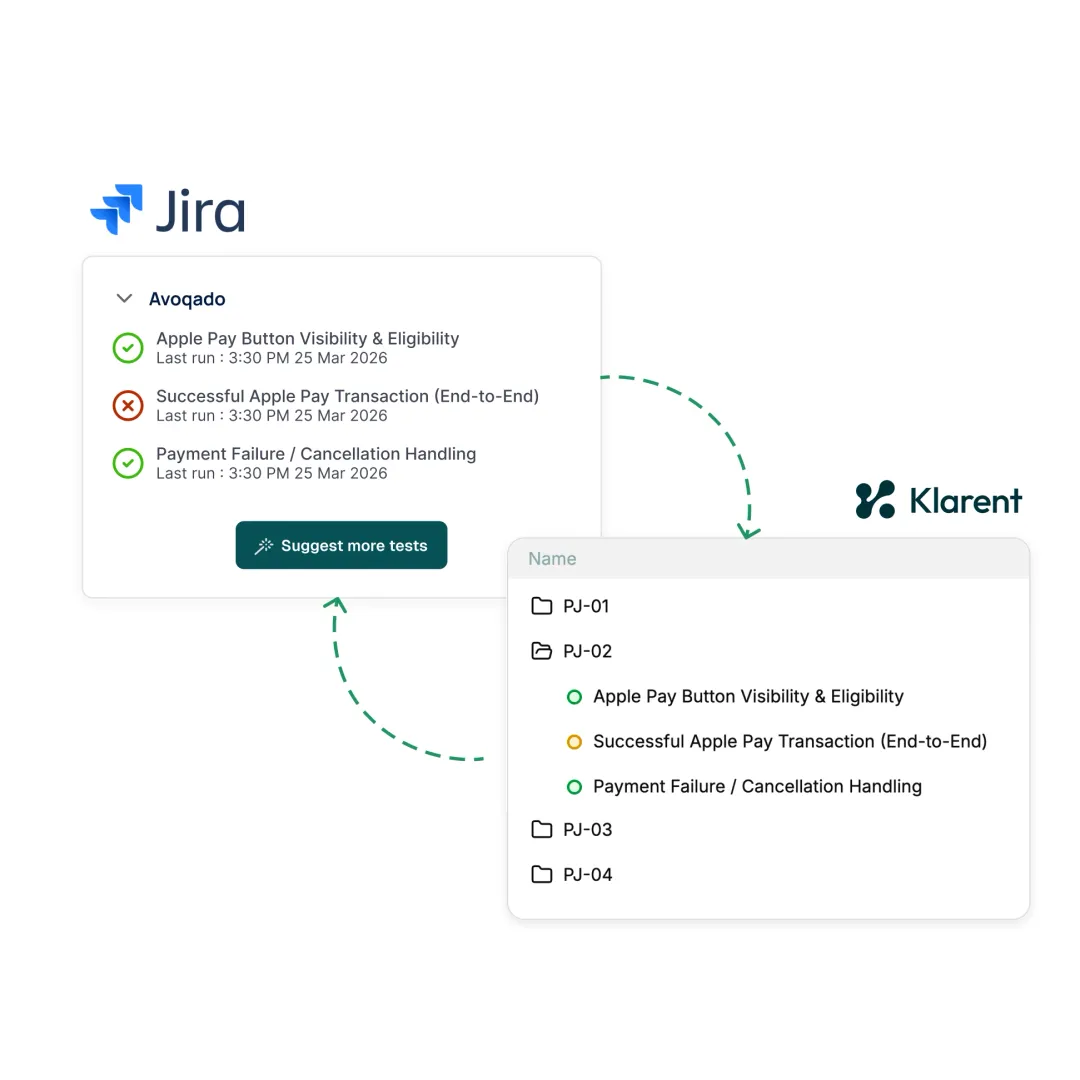
Until a person copies a result onto the ticket, the people working on it never see it.
Tickets lack the detail to reproduce
A one-line description sends engineers back to ask what actually broke.
Recurring failures multiply
The same problem produces a pile of near-identical tickets that bury real work.
Results and ticket status drift apart
When the two disagree, nobody trusts either one.
Acceptance criteria never become checks
What the ticket says should work is rarely turned into a test, so gaps stay hidden.
Results live in a tool nobody opens
Sprint reviews happen in the tracker, so failures in a separate testing tool go unseen.
How the integration works
Connect, generate, sync
Connect
Install the Klarent app from Atlassian and link it to your Jira site.
Generate
Klarent turns the description on each ticket into test cases, so acceptance criteria become checks.
Sync
Each run reports back to its ticket, so pass and fail sit next to the work item.
Supported platforms
Works with the tracker your team plans in
Results show up where your team already reviews work, so nobody has to learn a new tool.
JiraInstalls as an app from Atlassian
LinearSupported alongside Jira
Need another tracker or a self-hosted setup? Klarent also supports custom API integrations, so talk to the team about yours.
Traceability and audit
A clear line from ticket to test to result
Ticket to test
Each test case links back to the ticket it was generated from.
Test to result
Every run is recorded, with the failing step, trace and screenshot one click away.
Result to history
Trend analytics show coverage and regression history over time, so you have a record to point to in an audit.
Sprint planning
Test results where sprint planning already happens
Tests come from tickets already in the backlog, and their results return to those same tickets. Anyone looking at the sprint can see which work items have passing checks without opening a second tool.
Setup and permissions
Who needs to approve it
Installation goes through the Atlassian app install flow, so whoever can approve apps for your Jira site approves Klarent. That approval only covers the Jira connection. Inside Klarent, role-based access decides who can author, approve and run tests.
Connect your tracker and see results land on the ticket.
Install the Klarent app in Jira, link a test to a ticket, and watch the next run report back to it.
Yes. Klarent connects to Jira so test cases can be generated from your tickets and run results show up inside the ticket they belong to. You install it as an app from Atlassian.
Yes. Tickets feed Klarent with the context for new test cases, and run results flow back into the associated ticket, so you do not have to switch between tools to see where something stands.
Klarent writes run results into the associated Jira ticket. If you want every failure to open a brand new issue, talk to the team about how that fits your workflow. With GitHub Actions, a failed test can already open a GitHub issue with a screenshot and step traces.
Results shown on the ticket link back to the run in Klarent, where you can open the failing step with its trace and screenshot. For GitHub issues opened by a failed test, the issue includes step traces, error details and a screenshot of the last executed step.
Because results attach to the ticket a test is linked to, a recurring failure keeps reporting against that one ticket instead of spawning new ones. For rules specific to your project, talk to the team.
Tests are linked to the tickets they cover, and those tickets already belong to a team in your tracker. Results land on that ticket, in front of the people who own it, rather than in a separate queue.
The Jira integration installs as an app from Atlassian. If you run a self-hosted or Data Center instance, talk to the team and they will confirm what is supported for your setup.
Linear is supported alongside Jira. Klarent also supports custom API integrations for other tools.
Installing goes through the Atlassian app install flow, so the person who can approve apps for your Jira site approves Klarent. That approval only covers the Jira connection. Inside Klarent, role-based access decides who can author, approve and run tests.