CI/CD testing integrations
Continuous integration testing inside the pipeline you already run
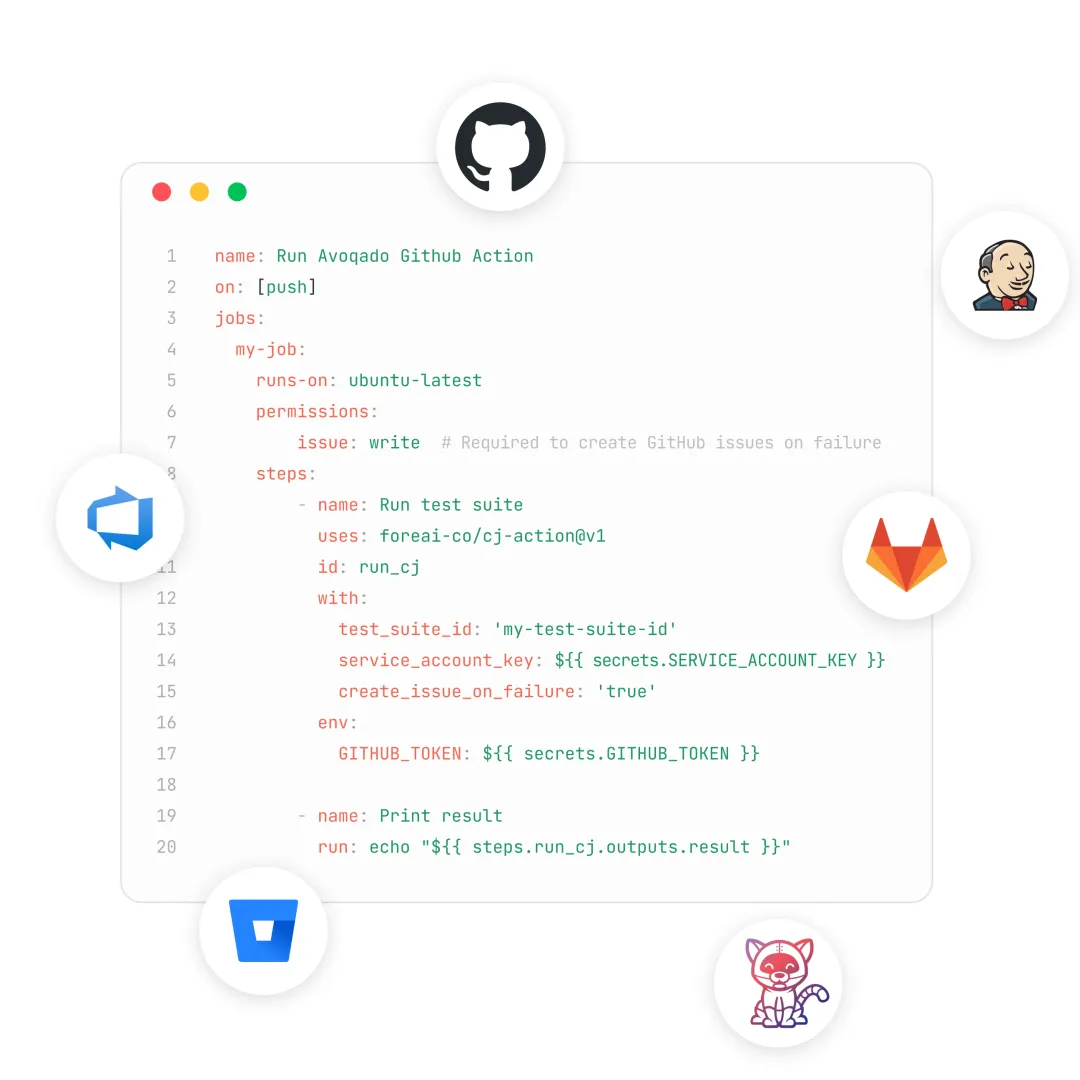
Testing should run where builds already run. Klarent plugs into Jenkins, GitHub Actions, GitLab CI and Azure DevOps, so every build gets tested without anyone having to start it.
Supported CI/CD tools
CI/CD integrations for the tools your team runs
Each tool has a setup guide with a working example. Pick yours to see the exact steps.
 GitHub ActionsMarketplace action in a workflow step
 GitLab CICI/CD component from the catalog
 JenkinsDocker-based runner on any Jenkins agent
 Azure DevOpsDocker-based runner on any Azure Pipelines agent
 TektonTask on any Kubernetes cluster
Mobile teams can also run from CircleCI, Bitrise and Fastlane. Anything else that can start a Docker container can run the same runner.
Why testing sits outside the pipeline
Why CI/CD test automation stalls
Tests run on a schedule or by hand
Failures show up hours or days after the change that caused them, when the fix is already expensive.
Results live in a separate tool
Engineers have to leave the build pipeline to find out whether a test failed, so many never look.
Suites are too slow to gate a merge
When feedback takes too long, teams skip the check instead of waiting for it.
Custom scripting has one owner
Homegrown glue between CI and test tools works until the person who wrote it moves on.
Flaky checks lose trust
When a check fails for no clear reason, engineers start rerunning or ignoring it, and real failures slip through with the noise.
Stages test different things
Staging and production are checked with different scripts, so a pass earlier in the pipeline says little about what is about to ship.
How the integration works
Connect, trigger, report, follow up
Connect
Add a Klarent step to your build pipeline and store your service account key as a secret.
Trigger
A build or deployment trigger starts the suite against the new build, with no one starting it by hand.
Report
Pass or fail returns to the pipeline, so the result shows up in the CI tool your team already watches.
Follow up
When a run fails, GitHub Actions can open an issue with step traces, error details and a screenshot, and alerts can go to Slack, Microsoft Teams or email.
What you can do in the pipeline
Pipeline feedback your team can act on
Trigger on the events you choose
Run on builds, commits, pull requests or deployments, not only on a timer.
Choose exactly what runs
Point each step at a single test or a whole suite.
Merge gate on critical paths
Block a merge or a promotion when a critical-path flow fails.
Target environments per stage
Override the target URL so staging and production run from one suite.
Parallel runs for fast feedback
Tests run in parallel to keep pipeline feedback within a few minutes.
Pass parameters to the run
Override parameters and the browser engine per step, from the pipeline.
Setup effort
Three things to have ready
A service account key
Copy it from the Settings page in Klarent and store it as a secret in your CI tool.
The test or suite to run
Each step needs the ID of the test or suite it should trigger.
A pipeline step
Paste the example from the setup guide for your tool. Most teams have a first run in minutes.
Choosing what runs at each stage
Match the suite to the stage
Keep the merge gate small and let the broader checks run later. A gate that finishes in minutes gets respected. One that takes an hour gets bypassed.
| Stage | What runs | What it gates |
|---|---|---|
| Pull request | Smoke tests and the areas the change touches | Blocks the merge if critical paths fail |
| Merge to main | A broader suite against the merged build | Reports to the team before the next change lands |
| Pre-release | Full regression | Gates promotion to production |
Enterprise considerations
Built for how large teams run CI
Self-hosted agents
On Jenkins and Azure DevOps the runner executes on your own agents.
Secrets handling
The service account key lives in your CI tool as a secret or credential. Secret values are masked in run output.
Access control
Granular role-based access and audit logs control who can see and change what.
Connect Klarent to your pipeline and test the next build.
Add one step to Jenkins, GitHub Actions, GitLab CI or Azure DevOps and see results come back to the pipeline on your next build.
FAQs
Klarent has documented setups for GitHub Actions, GitLab CI, Jenkins, Azure DevOps and Tekton. For mobile builds it also works with CircleCI, Bitrise and Fastlane.
No. Klarent runs in Jenkins through a Docker-based runner, so any Jenkins agent with Docker available can run your tests from a pipeline step. There is no plugin to install or keep upgraded.
Yes. A pipeline step can run on every push or pull request, so the check happens before the merge instead of after. For the mobile workflow, see mobile CI/CD and pull request testing.
Yes. Define a critical-path suite and make it a required check, and a failure on those flows stops the merge or the promotion to the next stage.
It depends on the suite you point the step at. Tests run in parallel, and a small suite scoped to the change keeps pull request feedback within a few minutes. The runner waits up to 300 seconds for a run to finish by default, and you can set that anywhere from 30 to 900 seconds.
Both. The pass or fail result returns to your pipeline, so the build shows green or red where your team already looks. The full run, with step traces and screenshots, stays in Klarent. With GitHub Actions, a failed test can also open an issue automatically.
The runner is a Docker image, so it can run in any pipeline that can start a container. Start from the CI/CD integrations overview and adapt the closest example.
Self-hosted agents are supported. On Jenkins and Azure DevOps the runner executes on your own agent, and the service account key is stored as a secret in your CI tool. For network requirements specific to your setup, talk to the team.
Each pipeline step names the test or suite to run, so a pull request step can point at a short smoke suite while a pre-release step points at full regression. You can also override the target URL, the browser and the parameters per step.